features of GIMP
In the previous blog, we learnt about GIMP. These are some of its key features:
Core Features
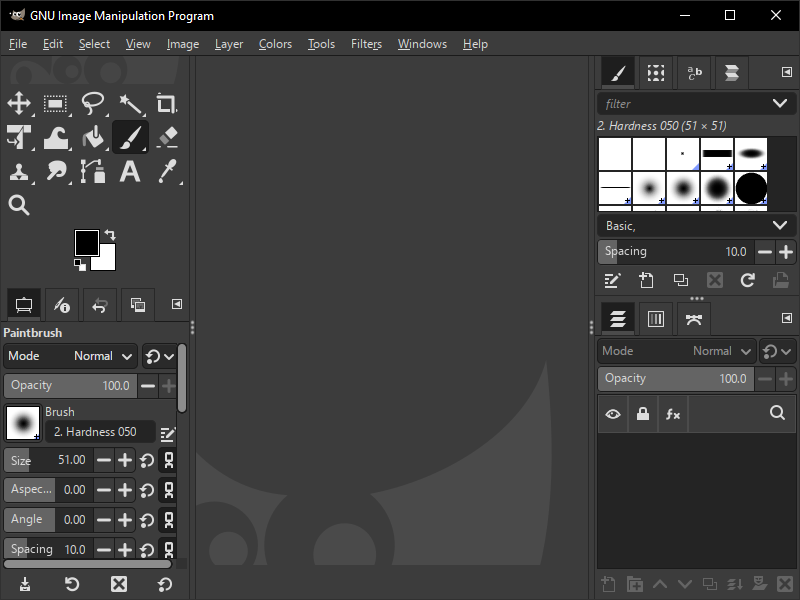
1. Image Editing: GIMP offers a wide range of tools for image editing, including support for layers, channels, and paths.
2. Support for Various File Formats: GIMP supports a wide range of file formats, including JPEG, PNG, GIF, and many others.
3. Customisable Interface: GIMP's interface is highly customisable, allowing users to tailor the layout and appearance to their preferences.
Image Manipulation Feature
2. Transform Tools: GIMP provides tools for transforming images, including scaling, rotating, and flipping.
3. Colour Correction: GIMP offers a range of colour correction tools, including levels, curves, and hue-saturation.
4. Effects and Filters: GIMP provides a wide range of effects and filters, including blur, sharpen, and distort.
Advanced Features
.jpg)
1. Layers and Masks: GIMP supports layers and masks, allowing for complex image compositions.
2. Paths and Vector Tools: GIMP offers a range of vector tools, including paths, shapes, and text.
3. Scripting and Automation: GIMP provides a scripting interface, allowing users to automate tasks and create custom scripts.
4. Plug-in Support: GIMP supports a wide range of plug-ins, allowing users to extend the program's functionality.
Other Features
.jpg)
1. Cross-Platform Compatibility: GIMP is available for Windows, macOS, and Linux.
2. Free and Open-Source: GIMP is completely free and open-source, making it an attractive alternative to commercial image editing software.
3. Active Community: GIMP has an active community of users and developers, ensuring that the program is constantly evolving and improving.


Comments
Post a Comment